


✅ Video Interview Preparation Tips for Job Seekers
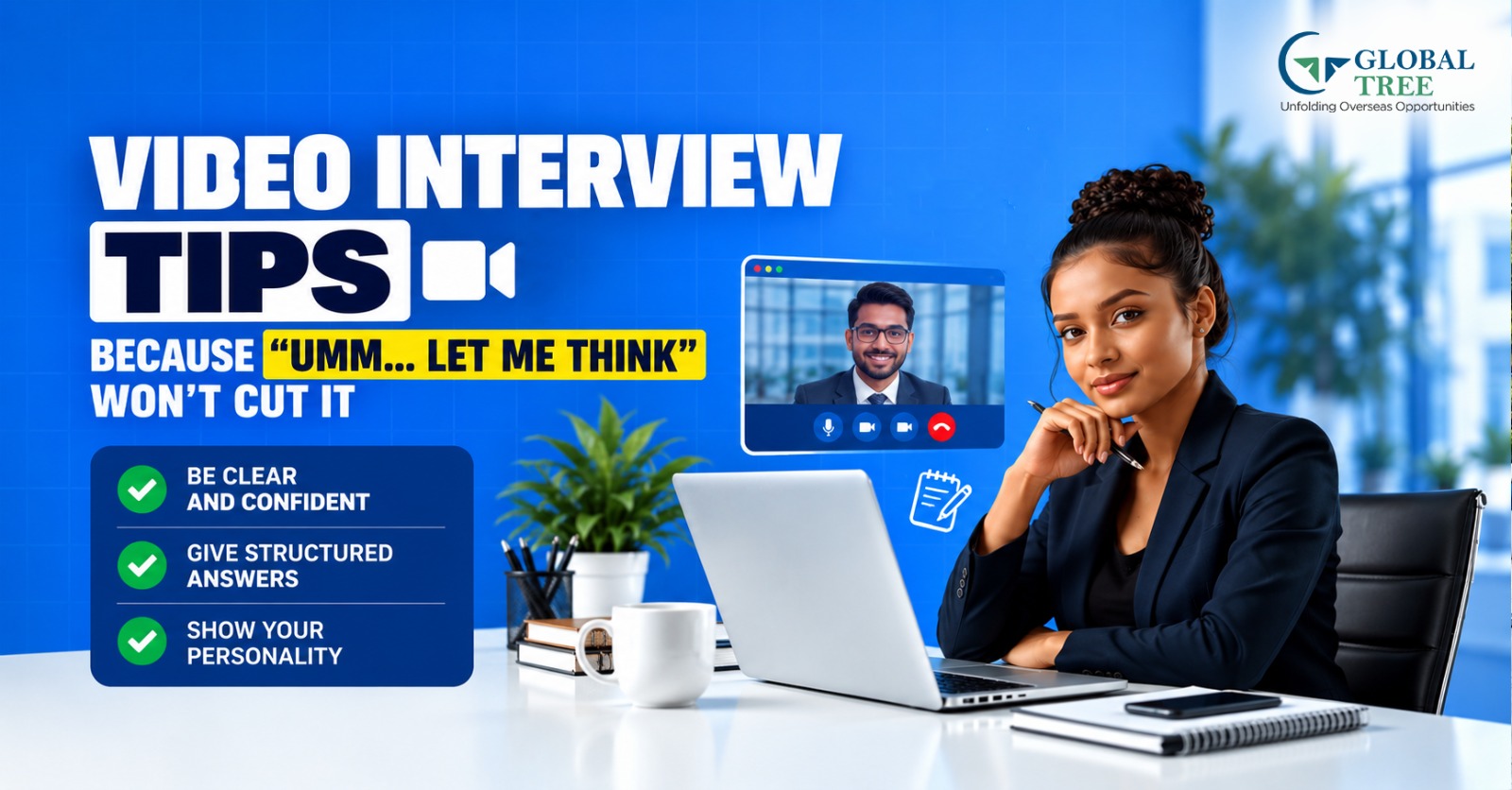
- What Is a Video Interview?
- What Should You Do Before a Video Interview?
- How to Set Up Your Technology for an Online Interview
- How to Create the Right Background and Lighting
- What Should You Wear for a Video Interview?
- How to Prepare Answers for Common Video Interview Questions
- How to Show Confidence on Camera
- How to Handle Technical Problems During a Video Interview
- Video Interview Etiquette You Should Follow
- How to Practice for a Video Interview
- Video Interview Tips for Freshers
- Video Interview Tips for Experienced Professionals
- What to Do Immediately After a Video Interview
- Conclusion
What Is a Video Interview?
The video interview is an online job interview that takes place via a video platform rather than in the presence of the interviewer. The interviewee would usually make use of a computer or a laptop with a camera and mic to talk to one or more interviewers.
It comes in various forms based on the nature of the employer and the stage of the recruitment process. The employer may engage in live interviews with the interviewee or even ask the candidate to provide pre-recorded responses to questions set out by the employer.
| Interview Type | How It Works | What Candidates Need |
|---|---|---|
|
Live Video Interview |
Candidates and interviewers meet online in real time using a video-conferencing platform. |
Working camera and microphone, stable internet connection, suitable background, and professional setup |
|
One-Way Video Interview |
The candidate receives questions or prompts and records answers independently within a specified format or time limit. |
Camera, microphone, quiet setting, preparation, and ability to deliver concise answers |
|
Panel Video Interview |
Multiple interviewers join the same online interview and may ask questions from different areas. |
Strong communication, active listening, awareness of different participants, and organized responses |
|
Technical Video Interview |
The interview combines conversation with a technical task, coding exercise, case study, or other assessment. |
Interview preparation, technical setup, relevant software or tools, and familiarity with the assessment format |
Live Video Interviews
During a live video interview, the interviewer and the candidate have a conversation simultaneously. The process resembles that of an ordinary interview but differs in that it is conducted via video. The interview can be concerned with the qualifications of the candidate and whether they are suitable for the post.
One-Way or Pre-Recorded Video Interviews
The one-way video interview does not have a live interviewer conducting it. The candidates are asked questions onscreen, and they have to respond to them through a recording that the company can view after the interview.
This is one of the types of job interviews where candidates must communicate without receiving live feedback from the interviewer.
Remote Versus In-Office Video Interviews
The video interview can either be conducted for a full-time remote job or for a traditional office-based job role. It is important to note that the interview format itself does not necessarily mean whether the job will ultimately be remote or office-based.
If it is an office-based job, the employer could conduct video interviews in the initial phase before conducting in-person interviews.
How Video Interviews Differ From Face-to-Face Interviews
While the questions and evaluation criteria will be the same as in the conventional interview, the online method includes other considerations. The candidates must take into consideration the positioning of their camera, their microphone, the lighting, their internet connectivity, and their online surroundings while at the same time making natural eye contact.
Preparing for an online interview involves technical preparation too.
Why Employers Use Video Interviews
The employer can make use of video interviewing in order to ensure that the first stage of recruitment is an easy process, especially when the candidates are from different geographical regions. The same can also be used by organizations to do preliminary screening prior to conducting interviews.
Knowing what to expect helps candidates understand how to prepare for an interview, including preparing their answers and ensuring the technical environment is ready.
What Should You Do Before a Video Interview?
Effective preparation for video interviews should take place before recording them. It is not necessary to try to learn all possible questions related to an interview because it is more important to understand the position and be able to elaborate on resume content.
1. Research the Company and Job Description
Begin by getting a clear idea about the kind of work that the company does, the role that is being advertised, and the particular skills required according to the requirements of the employer.
You will need to use this information to prepare yourself for those aspects that the interviewer is likely to focus on.
2. Prepare Your Key Talking Points
Prepare a couple of examples from your background in education, projects, internships, or prior work experiences. It is essential to pick instances that demonstrate your expertise in the skills needed for the job.
If the job requires problem-solving, prepare an example that demonstrates the problem-solving skills employers need, such as identifying an issue, tackling it, and successfully finding a solution. With a couple of examples ready, you will not have to remember anything by heart.
3. Review Your Resume
Carefully review your CV prior to the job interview. Always be ready to justify why you put something down on your CV, especially if you have listed any projects, accomplishments, technical expertise, internship experience, and work history.
Always remember that if you put down some program, certification, or project on your CV, you will definitely be asked to justify it at the job interview.
4. Prepare Questions for the Interviewer
Make sure you have some questions prepared to ask about the position, team, responsibilities, expectations, and learning opportunities. The right questions may also give you an insight into whether this position is what you need.
Do not ask anything that is obviously covered by the job description. It would be better to use your time during the interview to get a clearer picture of the position.
Finding out more about the company and getting prepared to answer role-related questions remains important, regardless of the type of interview.
How to Set Up Your Technology for an Online Interview
Technical glitches that may happen while you are being interviewed online can disturb what could have been a productive session. Conducting some easy checks on your technology before your online interview will save you from avoidable technical problems.
| Check | What to Do |
|---|---|
|
Camera |
Position the camera at approximately eye level and check that your face is clearly visible. |
|
Microphone |
Test your microphone and make sure your voice is clear without excessive background noise. |
|
Internet |
Test your connection before the interview and keep a backup connectivity option available if possible. |
|
Platform |
Install or update the required interview software and confirm that you can access the meeting. |
|
Headphones |
Keep headphones or earphones available in case the device speakers create echo or audio problems. |
|
Device |
Fully charge your laptop or keep it connected to a power source throughout the interview. |
|
Notifications |
Turn off unnecessary desktop, phone, and application notifications to avoid interruptions. |
|
Backup |
Keep another device or mobile hotspot available in case your primary equipment or internet connection fails. |
10-Minute Technology Check
Complete this quick checklist approximately 10 minutes before the interview:
1. Open the interview platform: Confirm that the meeting link works and that you are using the correct account.
2. Check the camera: Make sure the camera is working, positioned at eye level, and showing a clear image.
3. Test the microphone and speakers: Confirm that you can hear clearly and that your voice is reaching the other person without distortion.
4. Check the internet: Verify that your connection is stable. If possible, keep a mobile hotspot or alternative connection ready.
5. Close unnecessary applications: Shut down downloads, streaming services, and programs that may consume bandwidth or cause interruptions.
6. Silence notifications: Turn off notifications on your computer and phone so messages and alerts do not interrupt the interview.
7. Check your power: Make sure your laptop has sufficient battery or is connected to power.
8. Keep your backup ready: Have your phone, headphones, or mobile hotspot available if a technical problem occurs.
Ensuring that your microphone, speakers, camera, and internet connection work properly prior to the interview will minimize any unforeseen technical glitches. It is always good to have another piece of technology or access just in case.
The objective is very straightforward—enter the interview with all your technology already checked out.
[Explore more: Can a Video Resume Help You Stand Out as a Student?]
How to Create the Right Background and Lighting
Your surroundings can affect your professional appearance when you do a video interview. You do not have to go for a fancy arrangement. You have to ensure that your surroundings are calm and quiet to conduct a professional interview.
| Do | Avoid |
|---|---|
|
Clean, uncluttered background |
Distracting objects, messy rooms, or visible clutter |
|
Face the light source |
Strong light directly behind you, which can make your face appear dark |
|
Stable camera |
Shaky or handheld camera positioning |
|
Quiet room |
Public places, traffic noise, or other distracting sounds |
|
Professional setting |
Visually distracting surroundings or excessive background movement |
Choose a Quiet Location
Pick a room or place where you may not get disturbed. Lock the doors and windows and let others know that you are going for an interview. Do not pick any public places like a café, as there might be disturbances.
Keep the Background Clean
It is imperative that your background does not take center stage before you do. You may get rid of any items that could be a distraction to the interviewer.
Position the Light Correctly
Make sure that your main light is placed in front of you and not behind you. You can use natural lighting from the window if it lights up your face but does not create dark shadows. If your main light is behind you, the camera will be exposed to bright light, making your face appear dark.
Keep the Camera Stable
Position your laptop/webcam on a firm surface. Do not try to interview while holding your phone or using an unstable surface. Place your camera at eye level so that the picture looks natural and professional.
Check the Camera Frame
Before entering the interview, open the preview of your camera and see what the interviewer sees. Ensure that you have your face visible and no movement in the background on your end.
A simple, controlled environment allows the interviewer to focus on your answers and communication rather than unnecessary visual or audio distractions.
[Discover more: Workplace Behavior Tips for New Employees to Grow Their Careers]
What Should You Wear for a Video Interview?
The clothes to wear for a video interview must be in line with the job, the employer, and the organizational culture while maintaining your overall professional presentation. Not all interviews will require you to wear formal attire. In the case of corporate jobs, there may be a need for you to maintain a more formal dress code, while creative, tech, or start-up firms may allow for a more laid-back dress code.
-
Choose Professional Clothing
Choose clothing that is clean and well-fitting, and that is right for the job and the firm you are working for. For jobs in corporate, finance, consulting, or other client-facing positions, you might consider wearing a formal suit or one of the business professional dresses.
For creative, technology, or other firms that have a casual environment, smart casual may be right for the workplace.
-
Keep Your Appearance Clean and Well Presented
As important as what you wear is how you present yourself. Make sure that you are wearing wrinkle-free clothes and are looking well-groomed. Just by being groomed and well-dressed, you may be able to appear better prepared on camera.
Because the interview will be focused on your face and your upper body, make sure that you look put together.
-
Avoid Distracting Patterns
Patterns such as stripes or very detailed patterns may be distracting and could even distort on the webcam, especially when using low-quality webcams. Bright colors, reflective items, or large images may also distract viewers from viewing your face.
In case of doubts, use solid colors or subtle patterns.
-
Dress Appropriately Even When Interviewing From Home
This does not imply that you have to dress casually since the interviewer will not be able to see the rest of your attire. You must dress the way you would like to dress for a professional engagement with that organization.
This will help you get into a professional state of mind as well.
-
Check Your Outfit Under the Available Lighting
Lighting can change how colors and patterns appear on camera. Before the interview, open your video platform and check how your outfit looks with the same lighting and camera setup you plan to use.
Look for:
- Colors that appear natural on camera
- Clothing that does not blend into the background
- Minimal glare or reflections
- Patterns that remain clear without creating visual distractions
A quick camera check before the interview can help you avoid surprises and make sure your appearance looks professional on screen.
How to Prepare Answers for Common Video Interview Questions
Preparation for video interviews is not about rote learning of answers. It is about having an understanding of the purpose behind the questions being asked and preparing examples that may be modified during the interview itself.
-
Question-to-Answer Strategy
| Question | What the Interviewer May Be Assessing | How to Prepare |
|---|---|---|
|
Tell me about yourself. |
Communication and relevance |
Prepare a concise and professional self-introduction in an interview that covers your education or experience, key skills, relevant achievements, and what you are looking for in the role. Keep the answer focused on information relevant to the position. |
|
Why do you want this role? |
Motivation and role fit |
Understand the job description and identify how your skills, interests, and experience connect with the position. Explain why the responsibilities of the role appeal to you. |
|
What are your strengths? |
Self-awareness |
Select two or three strengths that are relevant to the job. Support them with brief examples showing how you have applied those strengths in an academic, professional, or project setting. |
|
Tell me about a challenge you faced. |
Problem-solving and adaptability |
Prepare a specific example rather than giving a general statement. Explain the situation, what you needed to accomplish, the action you took, and the result. |
|
Why should we hire you? |
Value and suitability |
Review the key requirements of the position and connect them with your skills, experience, and strengths. Focus on what you can contribute rather than simply repeating your resume. |
|
Where do you see yourself? |
Career direction and alignment |
Give a realistic answer that shows an interest in developing relevant skills and taking on greater responsibilities within your career path. Keep your response connected to the type of role you are applying for. |
-
Use the STAR Structure for Behavioral Questions.
Behavioral questions often ask you to describe how you handled a real situation. Instead of giving a long or unfocused response, organize your answer using the STAR structure:
- S, Situation: Briefly explain the situation or context.
- T, Task: Describe what you were responsible for or what needed to be achieved.
- A. Action: Explain the specific steps you personally took.
- R, Result: Describe the outcome and, where possible, what you learned from the experience.
For instance, if asked to "Describe an occasion when you had to cope with a tough deadline," don't just state your ability to work effectively under stress; give a genuine instance and describe the scenario, the role, the steps you took, and the result.
The STAR technique works best when answering questions on teamwork, conflict management, problem solving, leadership, deadlines, mistakes, and adaptability.
Focus on Structure, Not Memorization
In a video interview, one should be prepared for the important issues but not for complete answers. This is because over-practiced answers may sound artificial and hard to modify when asked about something else.
A better approach is to prepare:
- The main point you want to communicate
- One relevant example
- Two or three supporting details
- The result or takeaway
How to Show Confidence on Camera
In a video interview, confidence is not just expressed by what you say but also by other non-verbal factors such as eye contact, facial expression, body position and movement, and listening behavior. Do not be so concerned about projecting a formal image that you become unnatural.
1. Look at the Camera While Speaking
In order to answer a question, it is necessary to look towards the camera rather than constantly observing oneself through the video.
It is not necessary to look towards the camera all the time. It is important to look alternately towards the camera and the monitor, especially during listening, but to shift one’s gaze towards the camera while making significant statements.
2. Maintain Natural Facial Expressions
One must not maintain an unchanging or solemn expression during the interview session. One must use natural expressions according to the discussion, like smiling when required or being attentive when one is listening.
These expressions must complement whatever one is saying but must not be overdone.
3. Sit With an Open Posture
Maintain an upright position, with relaxed shoulders, and make sure that you are comfortable and appropriately positioned within the camera's range of view. Try not to frequently move in the chair, lean too close to the monitor, or cross your arms.
A good, steady posture will aid in looking engaged and focused on the interview while simultaneously allowing you to stay put.
4. Use Controlled Hand Gestures
Normal hand gestures can help you speak conversationally. But remember to limit your hand gestures and keep them within the field of view of the camera; otherwise, they will serve only as distractions.
Do not continuously gesture with your hands near the camera, touch your face, or make unnecessary hand gestures while responding to questions.
5. Pause Before Answering
It is important not to be in too much of a hurry to answer the questions right after the interviewer finishes talking. The calls may have some technical problems with audio or connectivity, so it is better to wait a moment to ensure that the question has been completed.
This will also give you an opportunity to collect your thoughts before responding to the question.
[Learn more: Why Do Interviewers Ask About Your Strengths and Weaknesses?]
How to Handle Technical Problems During a Video Interview
Technically, problems can arise despite the fact that you have conducted a test beforehand. A poor internet connection, microphone problems, or video or platform freezing can cause an interruption in what would be a smooth interview. However, it is important for you to be ready to switch to Plan B.
-
Stay Calm and Inform the Interviewer
However, should your internet become unreliable or your audio cease to function during the interview, there’s no need to get flustered. Let your interviewer know what the problem is and inform them that you’re trying to fix the issue.
For instance, you could say, “I’m experiencing problems with my internet connection. I will reconnect shortly and finish the rest of the interview.”
-
If Your Internet Connection Drops
First, try to reconnect to the meeting. If it is impossible to reconnect, you can switch to other means of connection, like a mobile hotspot.
In case you cannot reconnect right away, you should try another way of communication or reach out to the interviewer using other channels.
-
If Your Microphone Stops Working
Make sure that the microphone is not muted and check whether the right microphone is used on the interview tool. If the issue persists, disconnect and reconnect the headphones or use the built-in microphone of the device.
If you still cannot get an audio connection, then you can use the chat feature of the platform to communicate.
-
If Your Camera Stops Working
Firstly, you should see if your computer is blocking camera access. If not, please try leaving and rejoining the interview.
If the camera cannot be brought back, do communicate this problem to the interviewer. Depending on the organization or the type of interview, it might still go ahead without the video component.
-
Keep a Backup Option Ready
Before the interview, identify at least one backup option for your internet connection and audio. Keep your phone charged and have the interview platform available on another device when practical.
A simple backup plan could include:
- Primary laptop and Wi-Fi
- Mobile hotspot as an internet backup
- Phone or secondary device
- Headphones with a working microphone
- Interviewer's contact details
-
Do Not Let a Technical Issue Derail Your Communication
This does not mean that a technical problem would necessitate the termination of an interview. Provide a brief description of your technical problem, solve it, and get back to the discussion. The crucial point is that communication is better than silence. It will be beneficial to stay calm, to inform the interviewer about the problem, and to have a practical solution at hand.
[Read more: Starting Your First Job Abroad? Know These Office Do’s and Don’ts]
Video Interview Etiquette You Should Follow
Video interview etiquette entails all those little things that influence the way you appear during the interview. Because the interviewer is trying to communicate with you through the computer screen, simple things like coming on time and listening keenly become very important.
-
Join Early
Join the interview a few minutes prior to the designated start time so that you have the chance to test your camera, microphone, internet connectivity, and the online meeting platform.
Being there early also allows you to rectify any small technical problem without holding up the interviewer.
-
Use Your Real or Professional Display Name
Please use your real name while signing in to attend the interview. Try not to use any username, nickname, or anything else that appears to be unprofessional in the context of an interview.
-
Keep Your Phone on Silent
Switch off the sound function of your phone and put it somewhere outside your immediate reach. This will help you avoid getting distracted by notifications and interruptions during the conversation.
If you use your mobile for a hotspot connection to the internet or as an external storage device, turn off unnecessary notifications.
-
Do Not Multitask
Listen attentively to the interview. Do not look through emails or websites, send replies, or perform other activities when the interviewer is talking to you.
Multitasking will influence both your ability to listen and your answers.
-
Avoid Repeatedly Looking at Another Screen
Glimpsing away from the camera or glancing towards another screen will give the impression that you are distracted or looking at something else.
Make sure that your interview screen and important notes are kept near your camera so that you don’t have to look away all the time.
-
Wait Until the Interviewer Finishes Speaking
Wait for the interviewer to finish asking their question. It is normal for video conferencing to have some form of lag, and you might find yourself answering before the interviewer has completed their question.
You can take a small break after the interviewer finishes asking the question to give you an opportunity to organize your thoughts.
-
Ask for Clarification When Necessary
If you do not understand a question, it is better to ask for clarification than to give an unrelated answer.
You can use a simple response such as, “Could you please clarify what you mean by that?” or “Could you repeat the question?”
-
Keep Your Resume and Notes Accessible
Keep a copy of your resume and a few brief notes nearby so you can quickly check important details when needed. Notes can include key achievements, project information, questions for the interviewer, and points you want to discuss.
Avoid reading prepared answers word for word. Your notes should support the conversation rather than become a script.
-
Thank the Interviewer Before Leaving
At the end of the interview, thank the interviewer for their time and the opportunity to speak with them. Wait for the conversation to conclude before closing the meeting.
A simple, professional closing can leave the conversation on a positive and respectful note.
[Discover more: From Degree to Career, Skills Employers Want in Recent Graduates]
How to Practice for a Video Interview
Practicing before a video interview can help you become more comfortable speaking on camera, manage nervousness, and identify habits that may affect your communication. The goal is not to memorize answers but to practice explaining your experience naturally and clearly.
1. Record Yourself
Start by answering common interview questions while recording your camera and audio. Use the same device, camera position, and environment you expect to use during the actual interview.
Try questions such as
- Tell me about yourself.
- Why do you want this role?
- What are your strengths?
- Tell me about a challenge you faced.
- Why should we hire you?
Recording yourself gives you an opportunity to see and hear your interview performance from the interviewer's perspective.
2. Review Your Performance
Watch the recording and look for areas that you can improve. Pay attention to:
| Area | What to Check |
|---|---|
|
Speaking speed |
Are you speaking too quickly or slowly? |
|
Filler words |
Are you frequently using words such as "um," "like," or "you know"? |
|
Eye contact |
Are you looking toward the camera when speaking? |
|
Posture |
Are you sitting upright with a relaxed, stable posture? |
|
Facial expressions |
Do your expressions appear natural and appropriate? |
|
Answer length |
Are your answers focused, or are they becoming unnecessarily long? |
Do not try to correct everything at once. Identify two or three noticeable issues and focus on improving them in your next practice recording.
3. Conduct a Mock Interview
Once you are comfortable practicing alone, ask a friend, mentor, or colleague to conduct a realistic mock video interview using common interview questions for freshers. Ask them to use questions relevant to the position and follow a format similar to the actual interview.
Request specific feedback on your answers, communication, body language, technical setup, and overall presentation. You can then repeat the mock interview after making adjustments.
Video Interview Tips for Freshers
For students and recent graduates, a video interview is an opportunity to show what you can contribute even when you have limited work experience. Instead of focusing on what you have not done, talk about relevant academic projects, internships, volunteering, college activities, and practical assignments where you developed useful skills. If an interviewer asks about your experience, be honest about your fresher status and explain the experience you do have, such as completing a project, working as an intern, or handling a team activity.
Highlight transferable skills such as communication, teamwork, problem-solving, time management, and adaptability by giving simple examples rather than only listing them. When explaining why you chose the role, connect it with your education, interests, existing skills, and career goals so the interviewer can understand why the position interests you. You can also show that you are willing to learn by explaining how you have previously learned a new tool, handled an unfamiliar task, or improved a skill, rather than simply saying that you are a "quick learner." The aim is to show that although you are starting your career, you have relevant experience, a clear interest in the role, and a practical approach to learning.
Video Interview Tips for Experienced Professionals
For experienced professionals, a video interview should go beyond basic preparation and focus on evidence, impact, and the value you can bring to the new role. Instead of only describing your responsibilities, use specific examples to show what you achieved and how your experience connects with the position.
1. Quantify Your Achievements
Where possible, support your achievements with measurable results. Mention improvements in revenue, efficiency, productivity, customer satisfaction, project completion, cost reduction, or team performance when relevant. Numbers can make your contributions easier for the interviewer to understand.
2. Explain Your Leadership Experience
If you have managed people, projects, or important responsibilities, explain what you led and how you handled it. Discuss team coordination, delegation, decision-making, conflict management, and the results achieved through your experience to highlight the importance of leadership qualities.
3. Discuss Career Transitions Clearly
If you are moving to a different industry, function, or role, explain the reason for the transition positively and professionally. Connect your existing skills and experience with the requirements of the new position and explain what attracted you to the change.
4. Handle Salary Questions Professionally
When discussing salary, understand the role, responsibilities, and overall compensation structure before giving an expectation. You can provide a reasonable range based on your experience and the position while remaining open to discussing the complete compensation package.
5. Explain Employment Gaps Professionally
If you have an employment gap, address it honestly and briefly. Explain what you were doing during that period, such as pursuing education, developing skills, handling personal responsibilities, or searching for a suitable opportunity. Focus on your current readiness to return to work rather than overexplaining the gap.
6. Connect Previous Responsibilities to the New Position
Do not simply repeat your previous job description. Identify responsibilities from your earlier roles that directly relate to the new position. Explain how your experience with specific processes, tools, clients, teams, or projects can help you handle the responsibilities of the new role.
7. Prepare Examples of Problem-Solving and Decision-Making
Prepare a few real examples that demonstrate how you handled difficult situations, solved problems, or made important decisions. Explain the situation, the options you considered, the action you took, and the outcome. Choose examples that are relevant to the position you are applying for.
What to Do Immediately After a Video Interview
After a video interview, take a few minutes to note down the key points discussed, including important questions, topics covered, and any follow-up commitments mentioned by the interviewer. If the recruiter asks you to submit documents, complete an assessment, or provide additional information, make a note of the deadline and follow the instructions carefully. You can also send a short and professional thank-you message to appreciate the interviewer's time and reaffirm your interest in the opportunity. Use this time to reflect on questions you found difficult so you can prepare better for future interviews. If another interview round is expected, review the role and start preparing for the next stage. Keep your follow-up communication professional, relevant, and concise, and avoid sending multiple messages unless the recruiter has requested further communication.
Conclusion
A successful video interview requires more than simply answering questions correctly. Preparing your technology, choosing an appropriate professional appearance, practising your answers, maintaining confident body language, and following proper interview etiquette can help you communicate more effectively on camera. Freshers can use academic projects, internships and transferable skills to demonstrate their potential, while experienced professionals should focus on achievements, impact and relevant experience. After the interview, reviewing your performance, completing follow-up tasks and sending a concise thank-you message can help you stay organised for the next stage. With consistent practice and thoughtful preparation, you can approach online interviews with greater confidence while keeping your responses natural and authentic.







 Pay
Pay 964 260 9000
 WhatsApp